The short version, with no computer words in it.
Your website lives on a computer somewhere that belongs to a company you pay, or that your web guy pays. On Tuesday, a hole was found in a piece of software sitting on most of those computers. The hole lets a stranger put their own instructions on your website without needing your password.
If your site is a WordPress site, you are on the list of sites that have that software. There is a repair for it. Somebody at the company that holds your website has to install it. It is not something you do, and it is not something you can do.
Your whole job here is one email to whoever keeps your website running. The exact words are in this article. If you do not know who that is, there is a section for that too. And if your site is one of the static sites we build, there is no such software on it, so none of this touches you.
I had contractors messaging me about this all day yesterday. Most of them said a version of the same thing: my web guy sent me an email full of numbers and I do not know what I am supposed to do with it.
So this is written for the guy who knows he has a WordPress site, pays somebody around thirty bucks a month for something, and could not tell you where the site actually lives. That is most contractors. It is not a knock on you. It is the same as me telling you I know I have a transmission.
What could actually happen to your business
Nobody is going to drive to your shop. Here is what this looks like in real life, from most common to least.
Your name starts showing up in Google with a warning on it. Attackers add junk pages to your site, usually selling pills or loans. Google finds them, decides your site is hacked, and puts a warning next to your listing. Your phone gets quiet and you have no idea why. This is the most common outcome and the most expensive one, because it hits the thing you actually pay for: showing up.
Your customers get sent somewhere else. A common trick redirects visitors who come from a Google search on a phone, while the site looks perfectly normal when you type your own address on your laptop. So you see nothing wrong for weeks. Your customers see a scam page with your company name on the way to it.
Your email starts landing in spam. A hacked site gets used to send junk mail by the thousands. That traffic is coming from your domain name, which is the same name on your estimates and invoices. Now your bids go to a customer's junk folder and you lose jobs you already won. Fixing a burned domain reputation takes weeks.
Your leads get read, or quietly rerouted. This is the one contractors never think about. If somebody can run their own instructions on your site, they can read what comes through your contact form, and they can change where those messages get sent. Names, phone numbers, addresses, what the job is. You would not notice. The form still says thank you. Leads just stop arriving, or they arrive and somebody else got them first.
Your site goes down and your host shuts you off. Hosting companies watch for this. When your site starts attacking other sites, they suspend the account, sometimes with no warning. Your site is gone until it is cleaned, and the cleanup bill is usually a few hundred dollars.
If you take payments or deposits on your site, that becomes a much bigger problem. Most contractors do not, so most of you can skip this. If you do, say so when you email your host.
What is not at risk: your bank account, your accounting software, your phone, your truck GPS, your QuickBooks. This is about the website and the email name attached to it. Bad enough, but it has edges.
And a fair word on odds. This is a brand new hole, and attacks are automated. Nobody picks your company out of a lineup. A program scans millions of addresses looking for the ones not yet repaired, and it does not care that you install furnaces. The whole game is being repaired before the scanner reaches you.
You do not know where your site lives. Here is how to find out.
Half of the contractors who called me could not say who hosts their site. That is normal. Try these in order and stop when one works.
- Search your email. Open your inbox and search for the word invoice or renewal along with your domain name. You are looking for a monthly or yearly charge from a company like GoDaddy, Bluehost, SiteGround, HostGator, Hostinger, WP Engine, Kinsta or Cloudways. That company is your host.
- Check your card statement for a recurring charge you have forgotten about, usually between ten and fifty dollars a month.
- Text the person who built it. One line: "Who hosts my website, and has the PHP security patch from October 21 been applied?" If they built it and still handle it, they are the right person to fix this anyway.
- If the person who built it is gone, and that happens a lot, you need to get control of the site back before you worry about anything else. That is a separate job and it is worth doing this month.
- Or send us the domain name and we will look up where your site is hosted and what it is running, and tell you straight whether you are exposed. It takes us a couple of minutes, costs nothing, and there is no pitch attached.
The email to send, word for word
Once you know who to send it to, copy this. You do not need to understand it. You need to send it today.
Subject: PHP security patch for my website
Hi, I run [your company]. My website is [yourdomain.com].
I am told there was an emergency PHP security release on October 21, 2026 for CVE-2026-109618 and CVE-2026-109619.
Can you confirm three things:
1. Has the patch been applied to the PHP version my site runs, and were PHP and the web server restarted afterward?
2. What PHP version is my site on right now?
3. Is there anything you need me to do?
Thanks.
You are watching for two things in the reply. Do they answer today, and do they give you an actual version number. A same-day answer with a number in it means somebody is minding the store. A vague answer, or silence for a week, tells you more about your website's care than any sales pitch ever could.
The rest of this article is the detail behind all of that, for whoever wants it, including the parts to forward to your web person.
What actually happened on October 21
PHP is a programming language. It is the engine underneath most of the web, including WordPress. Security researchers found two flaws in it and named them PHP2Shell. The official names are CVE-2026-109618 and CVE-2026-109619, and both are rated 9.2 out of 10 for severity.
Here is the part that matters. These flaws allow what the industry calls unauthenticated remote code execution. Strip the jargon off and it means a stranger on the internet can make your web server run their instructions. No password. No stolen login. No clicking a bad link. They talk to your server and your server does what they say.
Think of it like a lockbox on a jobsite where the code turns out to open for anyone who knocks a certain way. It does not matter how good your crew is about locking up.
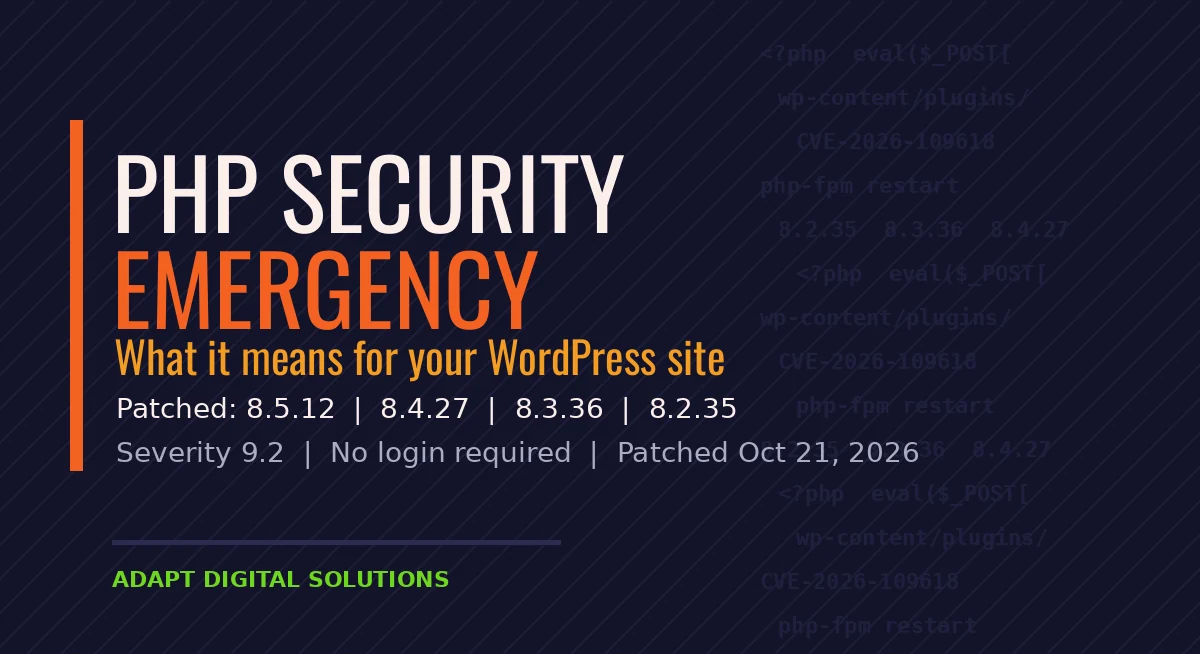
PHP shipped fixed versions the same day: 8.5.12, 8.4.27, 8.3.36 and 8.2.35. CISA, the federal cybersecurity agency, told everyone to patch immediately. The researchers who wrote it up estimate PHP sits under about 70 percent of the internet, which is why your host probably had a rough day.
One honest note, because you will see louder claims. Amazon's threat intelligence team recorded an attack attempt on October 17, four days before any of this was public, and other researchers reported attempts after the announcement. CISA's own alert did not confirm active exploitation, and as of October 22 neither flaw was in its known-exploited catalog. Rapid7 expects a working public exploit soon. So: not the end of the world, and not something to leave until next month either.
Why this lands on WordPress owners
WordPress is written in PHP. Every page a visitor loads on a WordPress site is a program that runs on the server, pulls your content out of a database, and builds the page on the spot. That is how WordPress has always worked, and it is why it can do so much.
It also means your site depends on a PHP version that somebody else installed and somebody else has to patch. You did not choose it. You probably cannot see it without looking. And when a flaw like this one shows up, your exposure comes down to how fast your host moves.
There is a detail here that trips people up. Installing the patch is not enough. The fix only takes effect once the server software restarts, which means Apache, PHP-FPM, and any long running PHP processes. A host can honestly say "we patched" and still be running the old code in memory. That is why one of the questions below is specifically about restarting.
The five minute check on your own site
You can do this yourself, right now, without calling anyone.
- Log into your WordPress admin, the
/wp-adminaddress. - In the left menu go to Tools, then Site Health.
- Click the Info tab at the top.
- Open the Server section.
- Read the line that says PHP version.
Now compare what you see to the patched releases:
| Your PHP line starts with | Patched at | What to do |
|---|---|---|
| 8.5 | 8.5.12 | At or above: you are fine. Below: ask your host today. |
| 8.4 | 8.4.27 | At or above: you are fine. Below: ask your host today. |
| 8.3 | 8.3.36 | At or above: you are fine. Below: ask your host today. |
| 8.2 | 8.2.35 | At or above: you are fine. Below: ask your host today. Note that 8.2 stops getting security support at the end of 2026. |
| 8.1, 8.0 or 7.4 | No new release exists | Read the section below. These are retired. |
One catch on managed hosting: some hosts patch the underlying code without the version number changing in a way you can read. If your number looks old but your host swears it is fixed, that is a fair answer, and the next section tells you how to make them prove it.
Three questions for whoever hosts you
Copy these into an email. You do not need to understand the answers in detail. You need to see whether anybody over there is paying attention.
- Have you applied the October 21 PHP patch for CVE-2026-109618 and CVE-2026-109619, and did you restart PHP-FPM and the web server afterward?
- Did you patch every PHP version you offer, including the older ones, or only the current release?
- What are you monitoring for now that exploit attempts are being reported?
A good answer comes back the same day, names the version you are now on, and says the services were restarted. A bad answer is vague, or takes a week, or asks you what a CVE is.
If nobody can tell you which PHP version your site runs, you have learned something more useful than the answer. You have learned how closely anyone is watching your site, which is the real finding here.
While you are at it, ask the same question about the setup itself. The highest risk configuration is Apache with mod_php, because an attack can run before your site's own code even starts. Hosts that use PHP-FPM are in better shape.
If you are on PHP 7.4, 8.0 or 8.1
This is the group I worry about, and in my experience it is a lot of contractor sites built four or five years ago and left alone since.
Those versions are end of life. They did not get a proper release this time, only source code patches that a host has to apply by hand. More to the point, they will not get the next fix at all. You are not one patch behind. You are on a version nobody maintains.
The move is to PHP 8.3 or newer. That is not a five minute job, because old plugins and old themes sometimes break on a newer version, which is exactly why your site got left behind in the first place. Plan it, test it on a copy, and do it. Or use this as the moment to ask whether the site should be rebuilt on something that does not need patching every few months.
How to tell if someone already got in
If you were running an unpatched version for a while, a quick look is worth your time. None of these on their own proves anything. Two or three together means call somebody.
- Admin users you do not recognize. Users, then All Users, then look at the Administrator list. This is the most common sign.
- Posts or pages you did not write, often about pharmaceuticals, loans or casinos, sometimes hidden from the menu.
- Your site redirecting somewhere else, especially for visitors on phones or arriving from Google, while looking normal when you type the address yourself.
- A warning in Google Search Console about hacked content, or a browser warning on your own domain.
- Email going to spam all of a sudden, which can mean your server has been used to send junk.
- The site got slow for no reason. Somebody else's work is running on your server.
If you see those, do not start deleting things. Tell your host, ask for a malware scan and a look at the access logs, and get a backup copied somewhere off the server before anything gets cleaned. The cleanup matters less than finding how they got in, because a site that gets cleaned without closing the door gets hit again in a week.
Why this keeps happening to WordPress
I am not here to bash WordPress. It built a lot of my early career and it runs an enormous amount of the web for good reasons.
But understand what you own. A WordPress site is a live application on a server. It has a database, a login page open to the public internet, and usually somewhere between fifteen and forty plugins written by people you have never met. Every one of those is code that executes when a visitor loads your page. The language underneath it all is PHP, and that is a fourth layer you do not control.
That is four separate things that need to stay patched: PHP, WordPress itself, your theme, and every plugin. Miss one for a few months and you are the easy target. The attacks are automated. Nobody picked your drywall company out of a lineup. A script found an old version and moved on to the next address.
What a static site changes, and what it costs you
We have spent about the last year moving our clients off WordPress and onto static sites. This week is the clearest example I can give of why.
A static site is plain finished files. The pages are built before anyone visits, so the server hands over a file and does nothing else. No PHP. No database. No plugins. No admin login sitting on the open internet.
When PHP had its emergency yesterday, there was nothing on those servers to patch, because there was no PHP to begin with. That is not clever security work on our part. It is just a smaller surface. There is less to break into because there is less there.
You also get the side effects. Pages load faster, which Google notices. Hosting costs a fraction of what managed WordPress costs. Nothing breaks because a plugin updated itself overnight.
Now the honest trade-offs, because this is not free.
- Editing works differently. You do not log in and drag blocks around. Either someone makes your changes, or you use a separate editor that rebuilds the site.
- Forms and booking need a service behind them, since there is no server code to process a submission. This is a solved problem, but it is a piece someone has to set up.
- A big store is a bad fit. If you sell hundreds of products with live inventory, you want an application, not a static site.
- Blogging has an extra step. It is a publish, not a save.
Should you switch? An honest answer
If your WordPress site is on a current PHP version, kept updated, backed up, and someone competent is watching it, you do not have to do anything today beyond the five minute check. Keep it.
Switch when the real situation is one of these:
- Nobody is actually maintaining it, and the last plugin update was a year ago.
- You are paying a monthly fee to somebody and cannot get a straight answer about what they do for it.
- The site is slow and you have been told that is just how it is.
- It has been hacked before.
- You are on PHP 7.4, 8.0 or 8.1 and the upgrade keeps getting pushed because things break.
That last one is the tell. If upgrading PHP is scary because the site might break, the site is already fragile, and this week is the second warning.
Your ten minute checklist
- Check your PHP version: Tools, Site Health, Info, Server.
- Compare it to 8.5.12, 8.4.27, 8.3.36 or 8.2.35.
- Email your host the three questions above.
- Look at your administrator user list for names you do not recognize.
- Confirm you have a backup that lives somewhere other than the same server.
- Update WordPress core, your theme and your plugins while you are in there.
- If you are on 7.4, 8.0 or 8.1, put the upgrade on the calendar this month.
Not sure what your site is running?
Send us your domain and we will look up what your site runs and tell you straight whether you are exposed. No charge and no pitch. If you are fine, we will tell you that you are fine.
Questions contractors asked me this week
I do not have a WordPress site anymore. Am I affected?
No. If your site is static with no WordPress behind it, there is no PHP on the server for this to touch.
My host says they patched it. Is that enough?
Almost always yes, as long as they restarted the web server and PHP afterward. The patch does not take effect until those processes restart, so it is worth asking that specific question.
Do I need to change my WordPress password?
This flaw does not steal passwords, so a password change is not the fix. But if you find signs of a break-in, change every password, remove unknown administrator accounts, and rotate your security keys.
Will my security plugin stop this?
Not reliably. A plugin runs inside WordPress, and the most dangerous version of this attack runs before WordPress even starts. A firewall at the host or network level helps. The patch is what actually fixes it.
How much does it cost to move to a static site?
It depends on how many pages you have and how much needs rebuilding. The useful first step is a straight look at what you have now. We do that part free.
My site got hacked a year ago and we cleaned it. Could it still be open?
Possibly. Cleanups often remove the damage without closing the way in, and a hidden administrator account or a modified file can sit quietly for months. If it has happened once, a real review is worth it.
Sources
- CISA: Critical Vulnerabilities in PHP Require Immediate Patching, October 21, 2026
- Help Net Security: PHP2Shell, critical PHP vulnerabilities patched
- Wiz: PHP2Shell, AI uncovers critical RCE vulnerabilities
- Rapid7: CVE-2026-109618 and CVE-2026-109619 analysis
- The Hacker News: PHP issues emergency patches for two critical PHP2Shell RCE flaws
- Wordify: What the October 2026 PHP release means for your WordPress site