What does Google show a customer five miles from your shop?
We search your service from a grid of points across your whole area and map where you land at every one. Here’s the tool, on our own business.
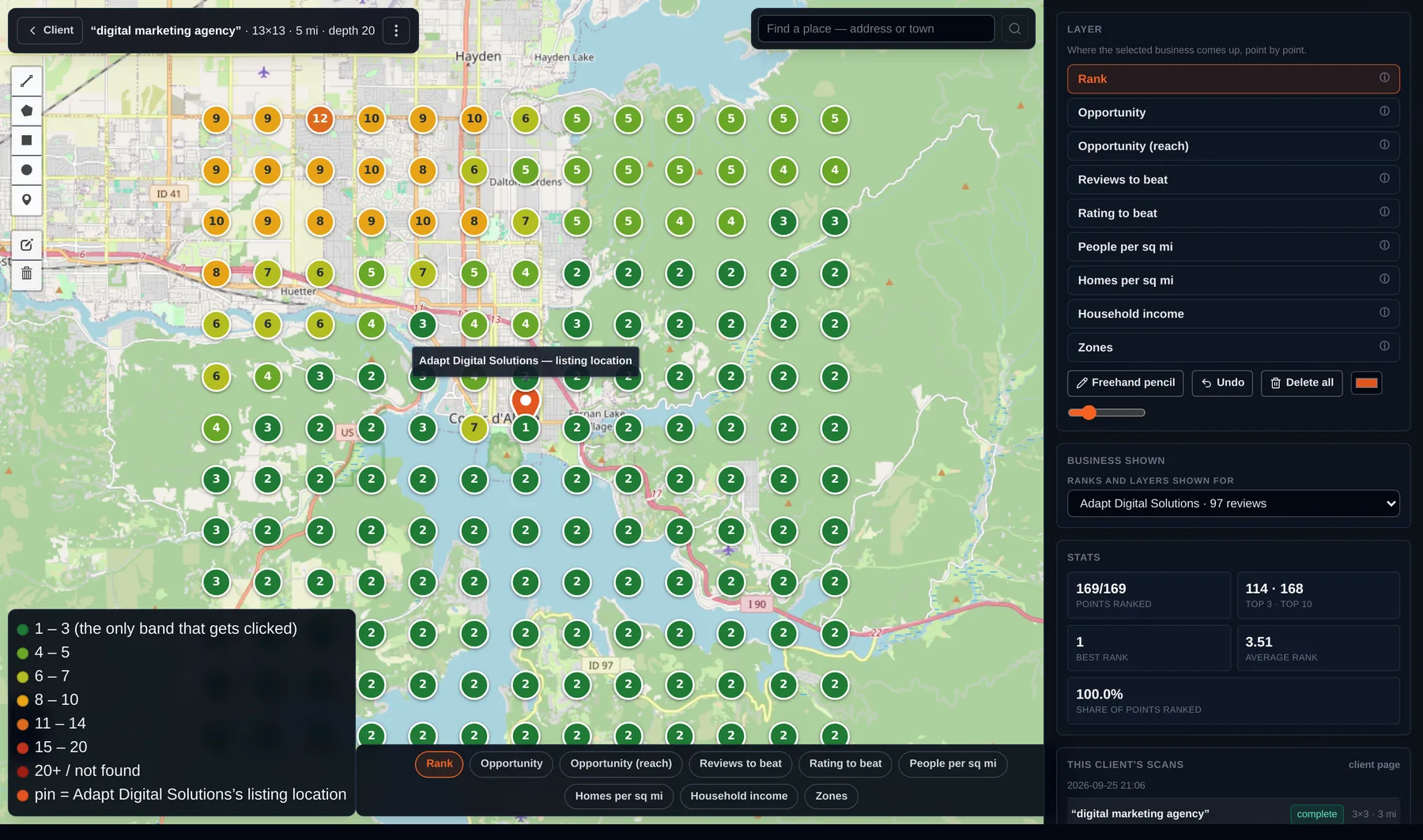
Seven things your scan shows you.
Every layer below is a real screen from the tool, on the same scan.
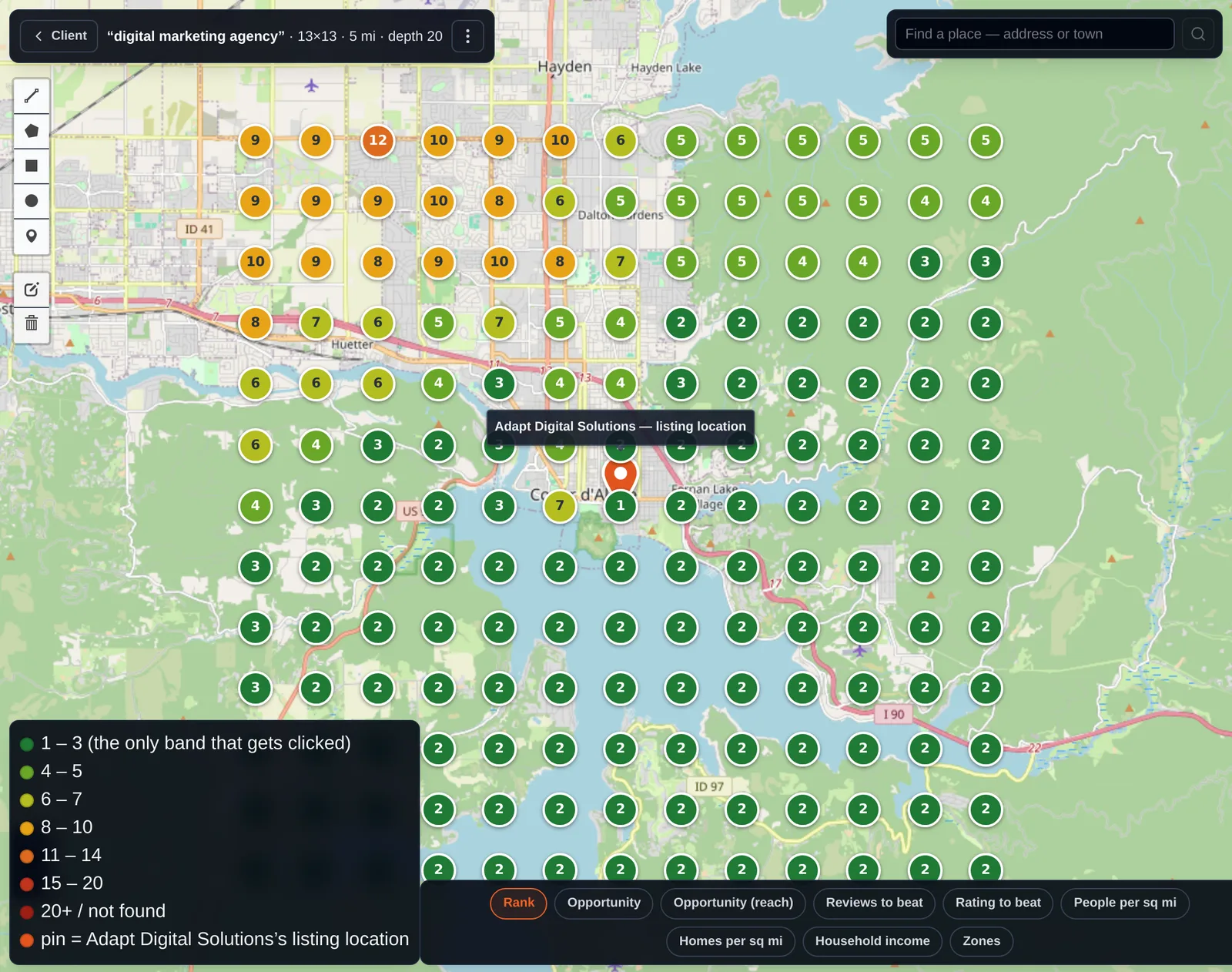
Where you rank, spot by spot
We search your main service from a grid of points across your area. Each dot is where your business comes up in Google’s map results from that spot. Green is the top 3. Red is 20th or worse, or not found at all.
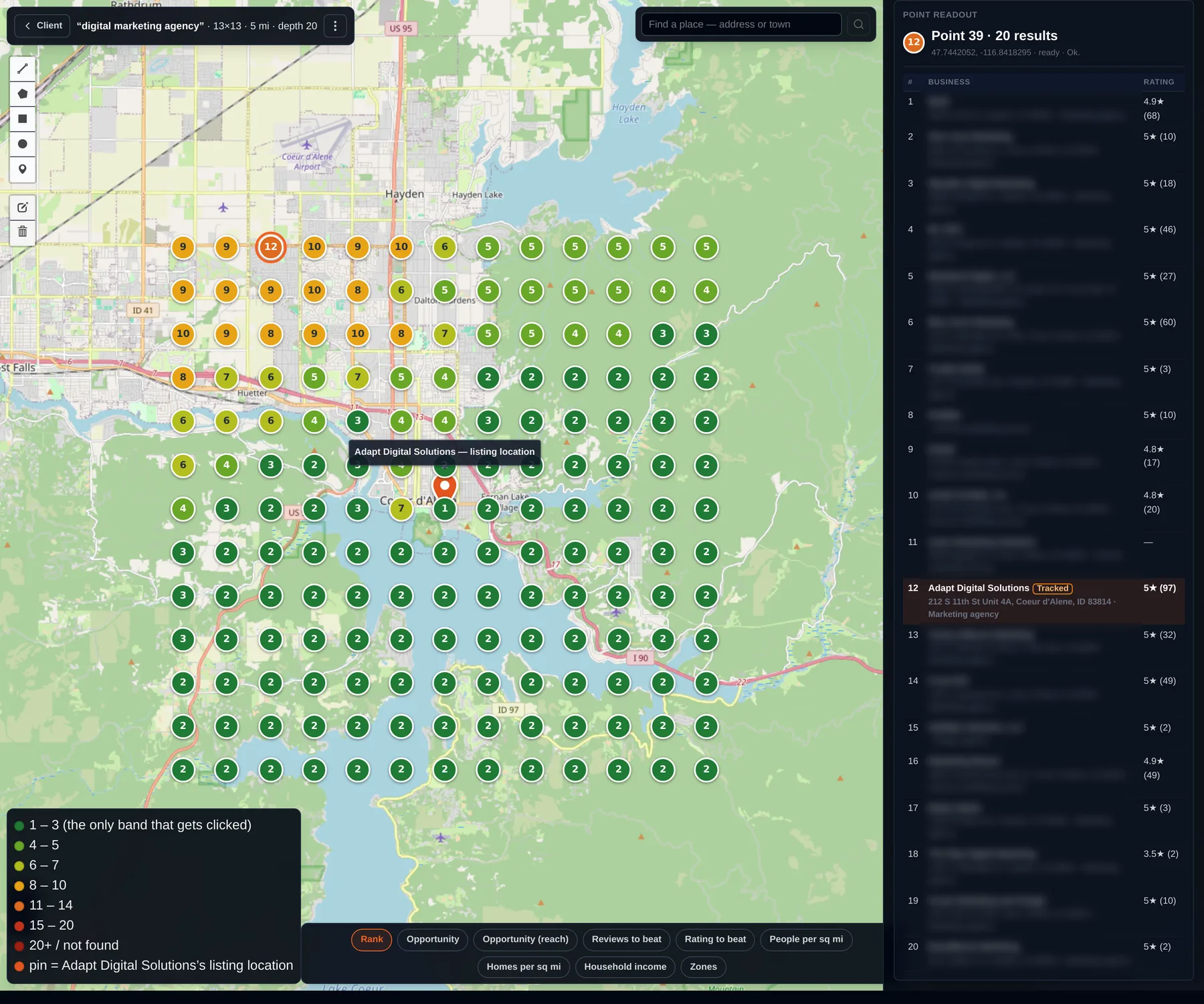
Who’s beating you
Click any spot on the map and you get every business Google shows there, in order, with their star rating and review count. From the spot circled in the top row, we come up 12th, behind 11 other agencies.
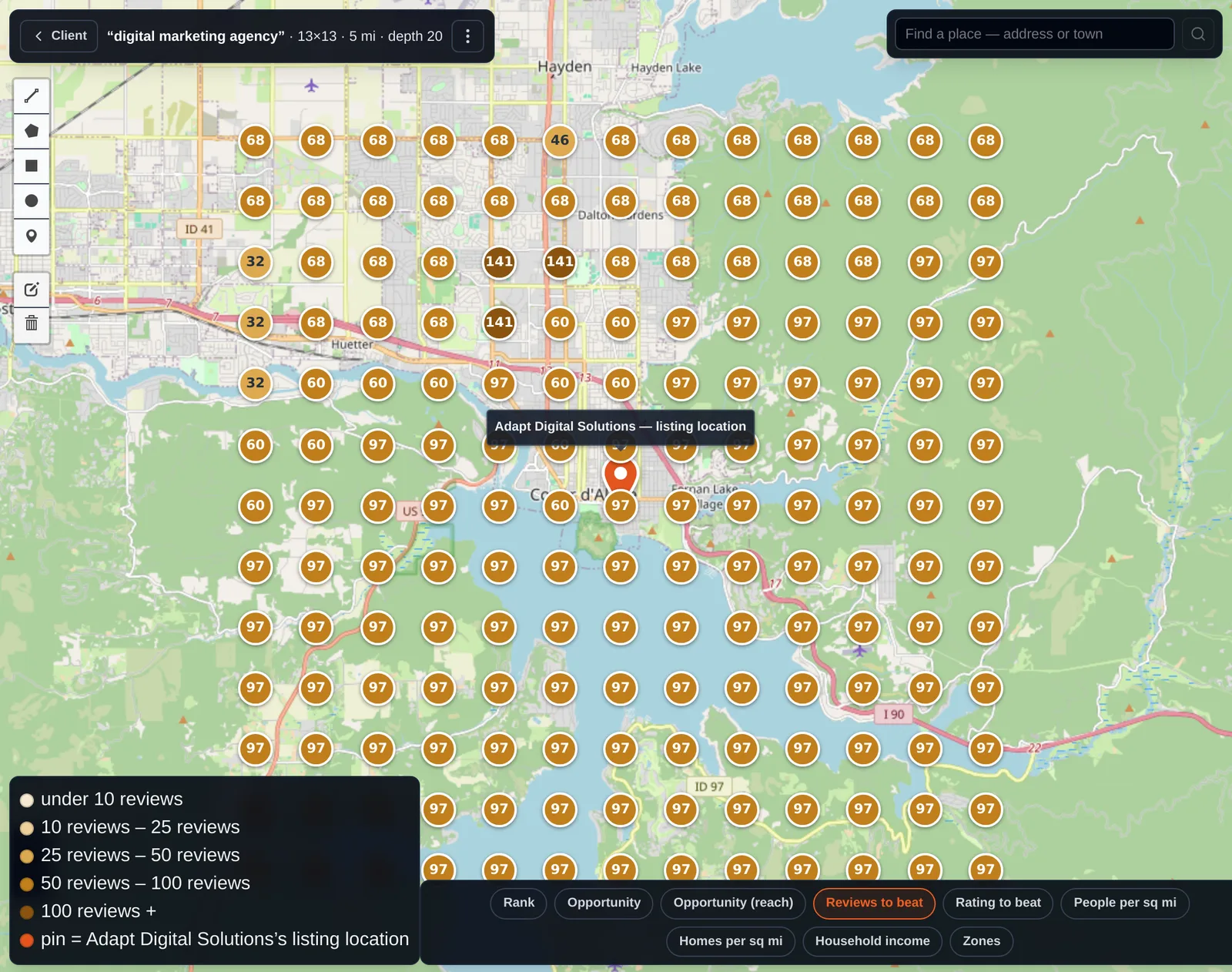
How many reviews it takes to win each spot
Every dot shows the review count of the strongest business already in the top 3 at that location. That’s the number of reviews you need to compete there.
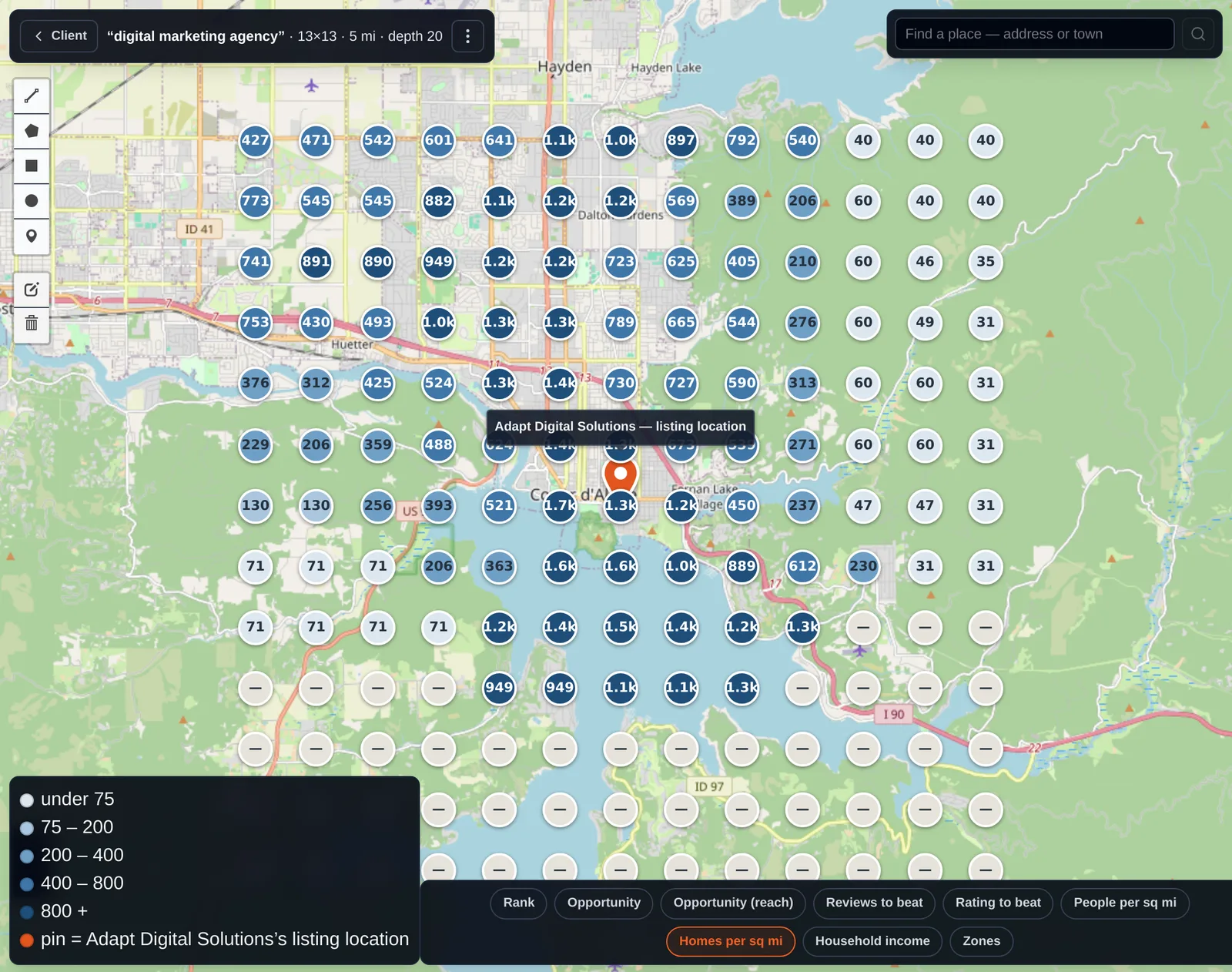
Where the most potential customers are
Homes per square mile around every point, from census data. The darker the dot, the more households, and the more people who could hire you.
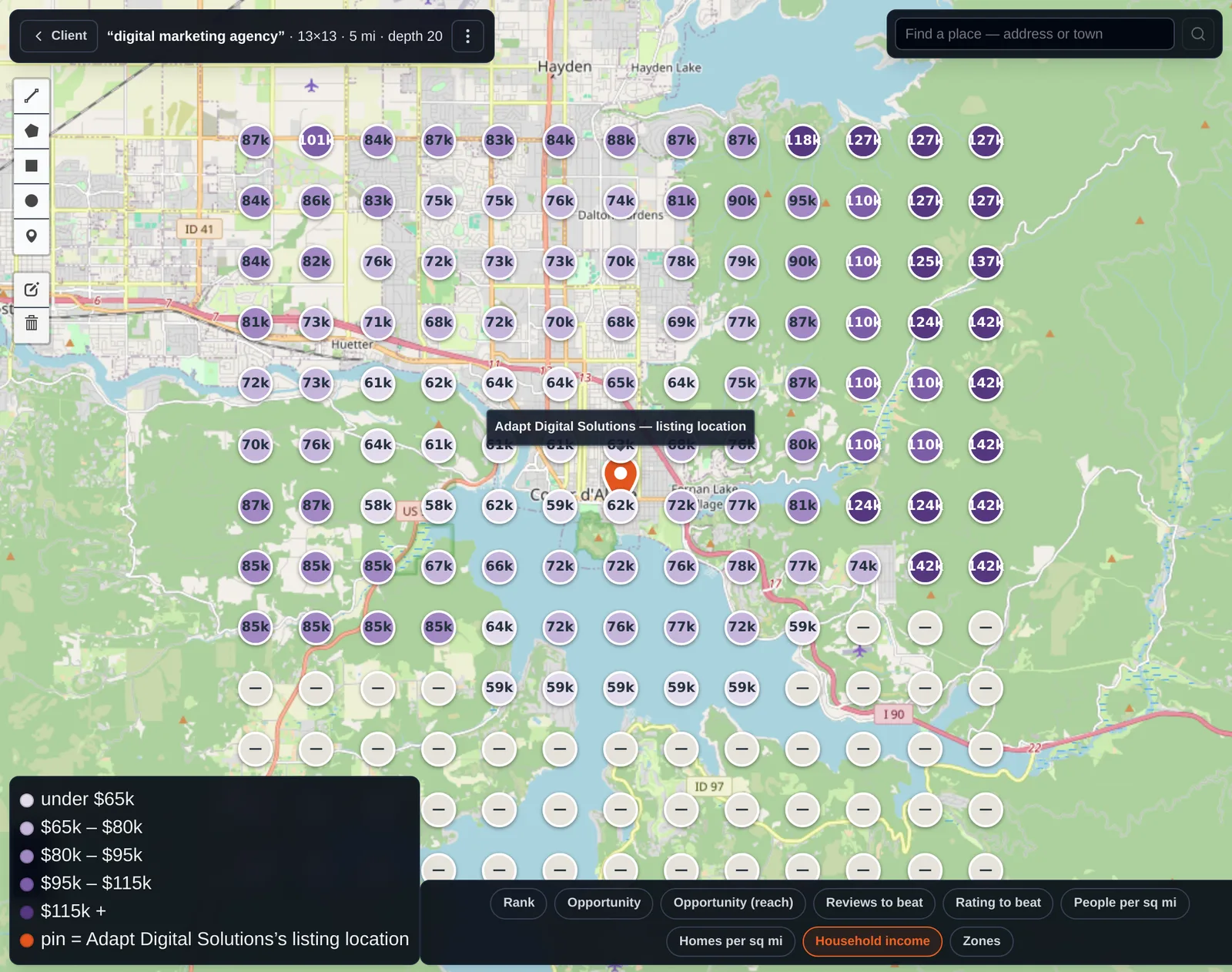
Where the highest incomes are
Median household income around every point, from census data. You see where the customers who can pay for the bigger jobs live.
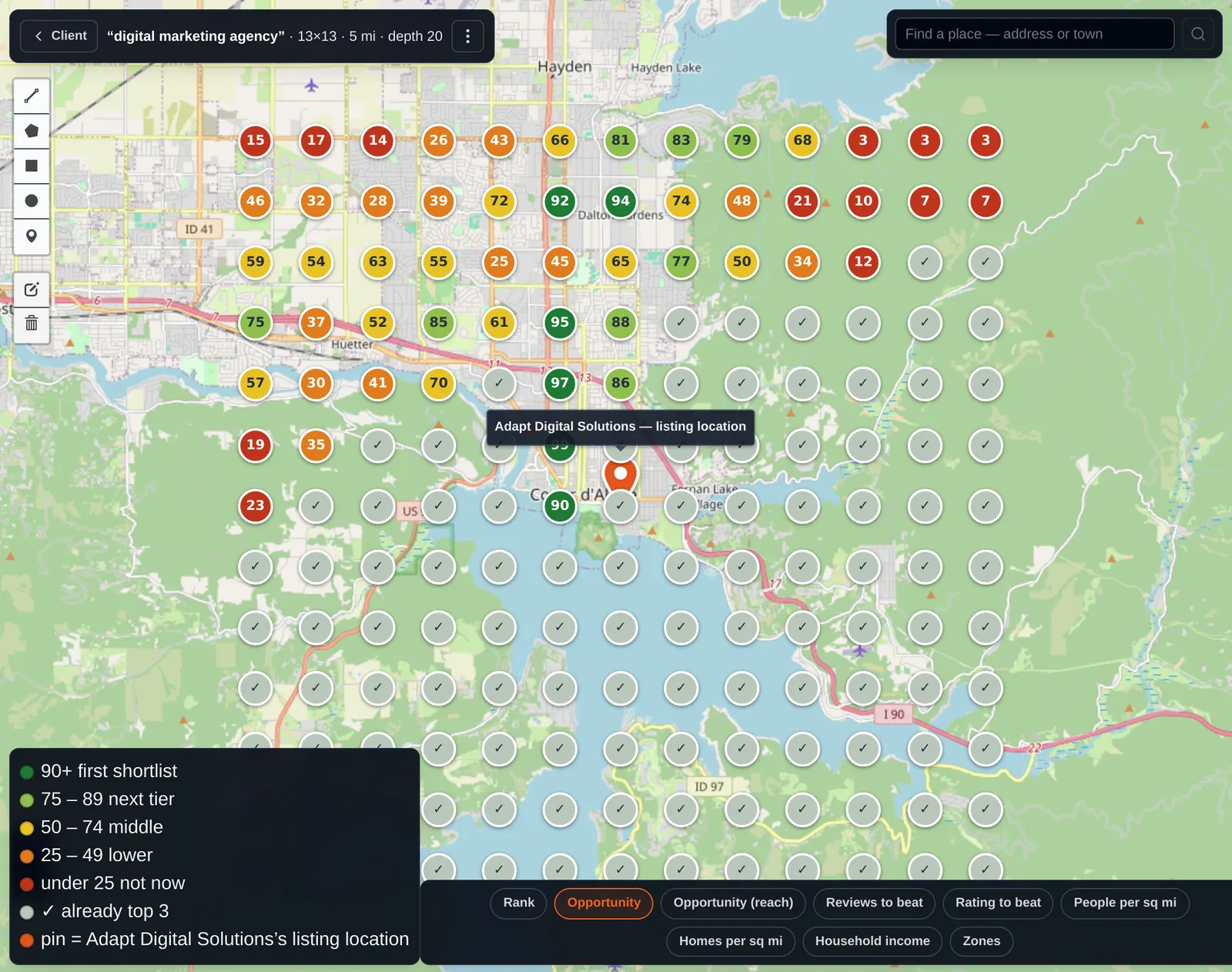
Where you can rank fastest
The opportunity layer scores every spot where you’re not in the top 3 yet. High scores are where you’re already close and the businesses above you are weaker. That’s where your business can climb the quickest. A check mark means you already hold the top 3 there.
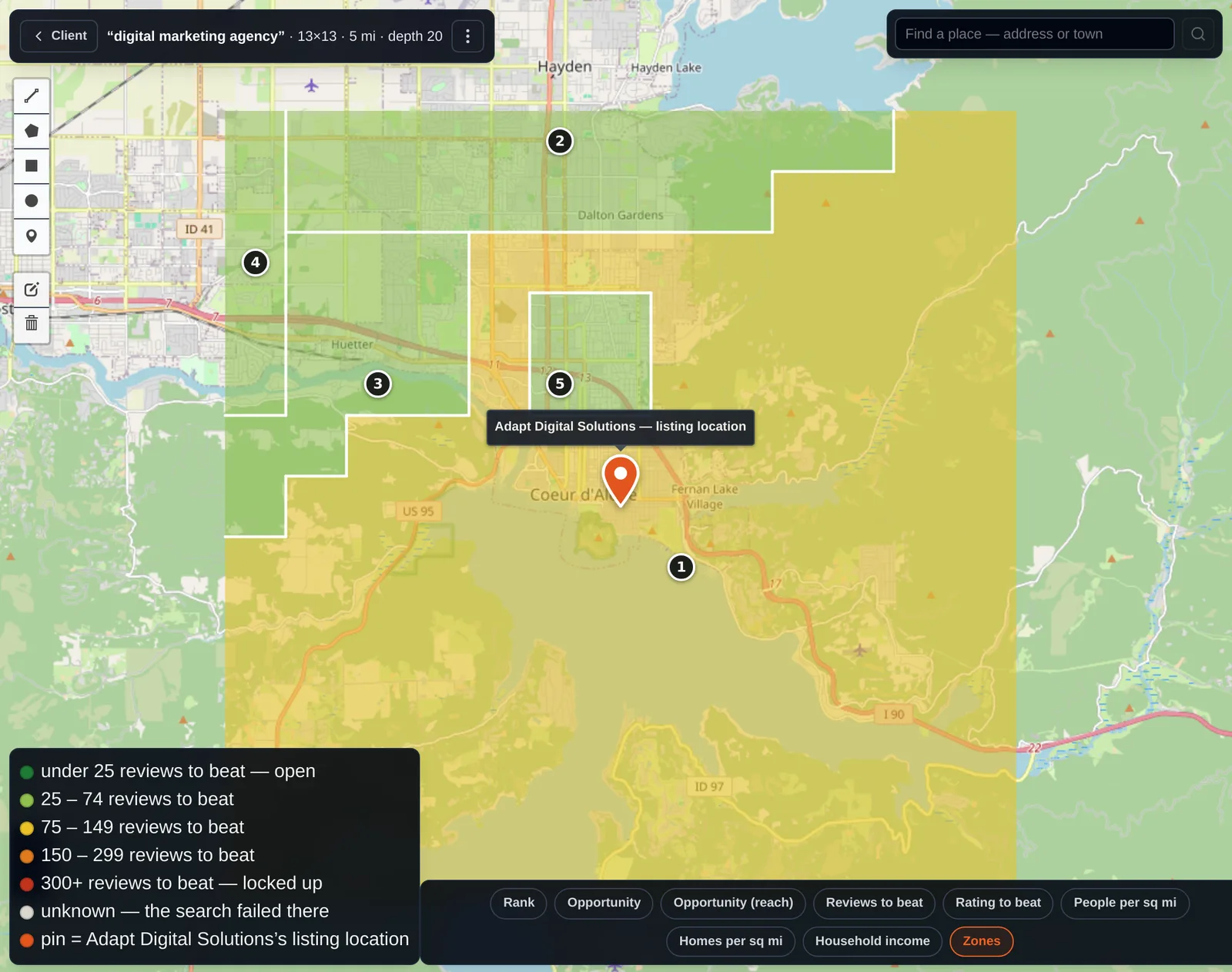
Zones you can win
Areas where the same businesses hold the top 3, colored by how many reviews you’d need to beat there. Some zones are wide open. Some are locked up.
How we use it
Scan before we touch anything
We see where you’re strong and where you disappear before we spend a dollar.
Pick the fights worth picking
Which towns to push, which competitors to watch, and how many reviews it takes to break in.
Scan again to check the work
Same grid, same search, later date. You see whether the dots turned green.
Get this map for your business.
- You fill this out. Business, the search you care about, how far you travel.
- We run the scan. Your rank at every point on the grid, plus every layer above.
- You get it your way. A 20-minute call to walk through it, or straight to your inbox.